

WORDPRESS TO WEBFLOW MIGRATION PLANNED AROUND YOUR SEO
SEOS Design is a Stockholm-based WordPress to Webflow migration agency. We move pages, posts, metadata and media into Webflow, redirect every changed URL and test everything in a staging environment before the DNS change. You get a fixed price and a website your marketing team can run itself, normally 4–6 weeks from brief to launch. Support after launch is there when you need it.
What is included
- URL audit & redirect map
- Webflow CMS structure
- Content, metadata & media migration
- Component build
- Forms & integrations rebuilt
- Technical SEO foundation
- Tracking installed and tested
- Testing in a staging environment
- Launch & project transfer
- Editor training
- Search Console monitoring
4–6 weeks
typical time from brief to launch
0 months
lock-in period on support after launch – cancel whenever you like
Fixed price
after a free call – for the move, the redirect map and the build
WordPress to Webflow migration in brief
- Suits companies on WordPress whose marketing team owns the website and wants to publish, build pages and adjust content in Webflow without plugin maintenance.
- The redirect map is built from a crawl, Google Search Console and your backlink profile – every URL with traffic or links gets a 301 redirect to its new address, and the map is tested in a staging environment before launch.
- Two options: keep the existing design, or give the website a unique design in the same project. Fixed price after a call; normally 4–6 weeks from brief to launch.
- Metadata, media, categories and custom fields are moved into a planned Webflow CMS. Plugins with their own logic are rebuilt or replaced, and the audit tells you which.
- We build in our own Webflow Workspace and transfer the project to yours at launch; from then on you pay Webflow directly, the domain stays in your name, and we stay on as a collaborator only for as long as you want.
- Not every WordPress website should move to Webflow. Webflow Commerce suits smaller shops and digital products. For larger shops we recommend Shopify, and for member areas, bookings or very large archives a coded website with a headless CMS is often the better choice.
- We recommend an SEO audit before the move. Then we build the improvements into the new structure from the start, instead of fixing them afterwards.
THE MOVE, THE REDIRECTS AND WHAT COMES AFTER
A WordPress to Webflow migration is an SEO project as much as a design project. It is not a copy of the old website in a new tool. Our Webflow agency page covers how we build in Webflow. This page covers the move itself: what is carried over, what is rebuilt, what is better left behind, and how we protect the rankings you have built up when the platform changes.
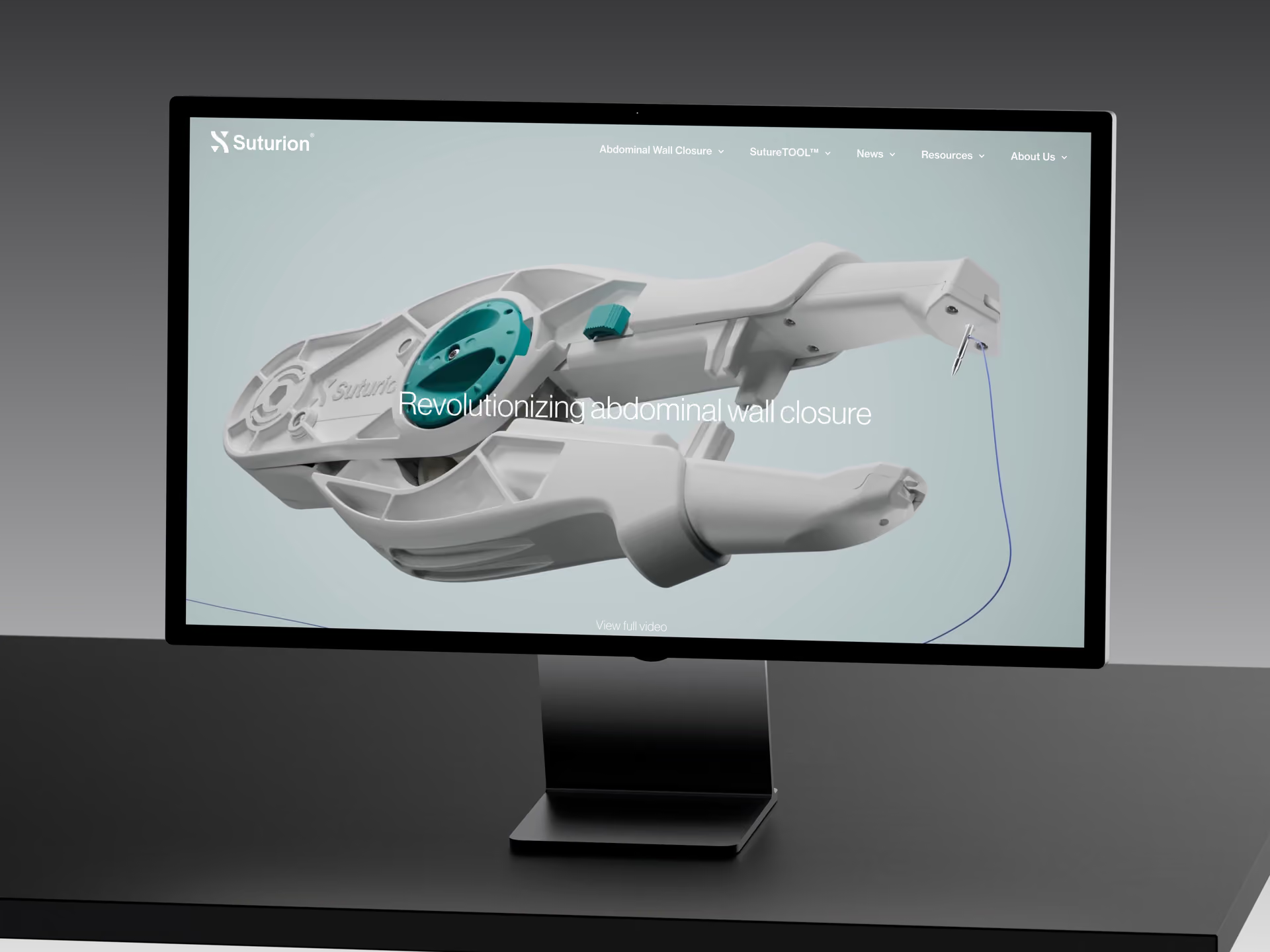
Companies usually move because of plugin maintenance, a slow website, or a marketing team that wants to publish without waiting for someone else. Many of these companies have developers in-house, but they work on the product and rarely on the website. For Suturion, a medical technology company, we moved the website from WordPress to Webflow in 2024 to make maintenance simpler and changes faster. The partnership has continued since then with ongoing development and SEO. Whether the same move is right for you is the first thing we look at. If the website has a shop, member logins or a very large archive, another platform may suit you better. We give our unbiased recommendation once we have heard more about your needs.
WordPress to Webflow: what moves, what is rebuilt and what is left behind
| WordPress element | Moved as it is | Rebuilt or handled by hand | Left behind or replaced |
|---|---|---|---|
| Pages and posts | Text, headings, dates and slugs via CSV into CMS collections | Layouts as page templates and components | Revision history and old drafts |
| URLs and redirects | Static page slugs, where the structure allows | A redirect map with a 301 for every changed URL; wildcard rules for date-based URLs | Date-based URLs – Webflow's collection URLs follow /collection/item |
| Images and media | Uploaded into Webflow so that responsive variants are generated | Alt text checked and mapped per image | Unused uploads and the media library folder structure |
| Yoast or Rank Math metadata | Title tags and meta descriptions mapped to SEO fields; redirects stored in the plugin go into the redirect map | Existing schema markup carried over to the new structure | Plugin settings |
| Categories and tags | As reference collections, matched by slug | Category pages as collection pages | Thin tag pages – consolidated and redirected |
| Forms (Gravity Forms, Contact Form 7) | – | Webflow forms connected to your email or CRM, e.g. HubSpot or Salesforce | Stored form entries – export them before the move |
| Page-builder layouts (Elementor, Divi) | – | Sections rebuilt as reusable components | The plugin markup itself |
| Plugins with their own logic (membership, booking) | – | A specialised third-party tool – or a reason to choose a headless build instead | The plugin itself – Webflow's apps and integrations replace some of it, not all |
| WooCommerce | – | A smaller shop or digital products: rebuilt in Webflow Commerce | A larger shop or demanding order logistics: we recommend Shopify |
| Comments | – | A third-party commenting service, if comments matter to you | Usually left behind; export first – Webflow has no built-in commenting for blog posts |
| Custom post types and Advanced Custom Fields (ACF) | Each post type as a collection, each field as a CMS field, via CSV | File fields re-uploaded by hand – they cannot be imported | Field types without a Webflow equivalent, such as repeater fields, are restructured |
FROM AUDIT TO LAUNCH IN FIVE STEPS
SEOS Design's ability to turn our ideas into a modern, fast and high-converting website has made a real difference. Their ongoing SEO and AEO work has also been invaluable for our organic visibility and traffic.
 Isabelle SchoriHead of Marketing, LearnifierTranslated from Swedish
Audit and decision
We crawl the current website, pull the pages with impressions and clicks from Google Search Console and list the URLs that carry backlinks. That tells us, before we start, which pages must keep their addresses, which can be merged and what each plugin does. On the audit call we go through the two options with you: keep the existing design, or give the website a unique design in the same project. You choose. We also tell you whether Webflow is the right platform at all: if the analysis points to Shopify, a coded website with a headless CMS or staying on WordPress, that is what we recommend.
Redirect map and CMS model
Every old URL is paired with its new address in a redirect map, including wildcard rules for date-based URLs and any redirects already stored in Yoast or Rank Math. In parallel we plan the Webflow CMS: which post types become collections, which custom fields become CMS fields, and how categories, authors and languages relate to each other. You review the model before the build starts, because it decides how easy it is to add new pages and sections later.
Content migration and build
We export posts and pages from WordPress, clean them and import them into the collections as CSV. We upload images into Webflow so that they get responsive variants, map title tags and meta descriptions to the SEO fields and carry existing schema markup over to the new structure. We build the layouts as reusable components, rebuild the forms and connect them to your email or CRM, install your analytics, tag manager and consent banner, and set canonical tags, plus hreflang on multilingual websites.
Testing in a staging environment
Before the DNS change we test every redirect in the map in a staging environment. We check that no page is left with noindex or a blocking robots.txt, compare metadata page by page against the old website, send a test submission through every form so the conversion events reach your analytics, and measure performance against Core Web Vitals. We do not point the domain at the new website until every check passes.
Launch, handover and monitoring
We publish, point the domain at the new website and submit the new sitemap in Google Search Console. We build in our own Webflow Workspace and transfer the project to yours at launch, so you own the website and pay Webflow directly. We also train your team in the editor. After launch we monitor indexing, 404 errors and the pages that mattered most before the move in Search Console, and fix the problems we find. A short dip can occur while Google replaces the old URLs with the new ones. In our experience, traffic improves within about a week of launch, and you can follow the trend in the data. If a page has not recovered, we find the cause and fix it. After that, support from us is optional, per task or on an ongoing basis, with no lock-in period.
What does a WordPress to Webflow migration cost?
fixed price before we start
The price is set by what your website actually needs. Below you will find price indications and examples of websites at each level.
A migration is priced in the same four bands as every website we build. Which band a migration falls in depends on the size of the move (the pages, posts and URLs that change) and the design option you choose. A 1:1 move of a smaller marketing website falls in the lower bands. A rebuild with new copy, several languages and integrations falls in the upper ones. The redirect map, metadata and media are included in every band. We price the work your website needs, not the number of pages.
Two costs are not part of the build price: Webflow's platform fee, paid directly to Webflow at its list prices, and any support you choose after launch, with no lock-in period. To compare the move with staying on WordPress, look at the cost in year 1 and year 3: hosting, plugin licences and the hours spent on updates on one side, the platform fee on the other. You can work it out in the calculator for what a website costs to build and own. The price is set before anything is built. Request a quote here.
Always included – whatever the level
Every website we build, whatever the price, is built on strategy, has a custom design and meets the same technical standard.
- Strategy before design
- Custom design
- Always a solid SEO foundation
- You own the account, the code and the content
01
Landing page or small website
SEK 25,000–45,000 ≈ €2,200–4,000
A landing page, a campaign page or a small website where the brand identity and copy already exist.
SEK 25,000–45,000 (≈ €2,200–4,000)
Landing page or small website
Examples that tend to land here
- A landing page for a campaign or a service.
- A small website on your existing visual identity, with your own copy and images.
02
Website on an existing strategic foundation
SEK 50,000–85,000 ≈ €4,500–7,600
A complete website when the logo, direction and message are there to build on.
SEK 50,000–85,000 (≈ €4,500–7,600)
Website on an existing strategic foundation
Examples that tend to land here
- A normal-sized website with a blog or case studies: page structure, custom design, build and an SEO and AEO foundation.
- A small website where we start from scratch – message, structure and material developed together with you.
03
Website with strategy and content
SEK 90,000–135,000 ≈ €8,000–12,000
When the message, the copy or an SEO effort needs to be done before the build.
SEK 90,000–135,000 (≈ €8,000–12,000)
Website with strategy and content
Examples that tend to land here
- A mid-sized website with strong branding, plus a one-off SEO effort: keyword research, page structure and copy.
- A website where the message and tone of voice are developed in a workshop with several stakeholders on your side, before anything is designed.
04
Larger or more complex website
From SEK 140,000 ≈ €12,500
Large websites, several languages, custom integrations or a rebuild where the search visibility has to come along.
From SEK 140,000 (≈ €12,500)
Larger or more complex website
Examples that tend to land here
- A rebuild of a larger website that ranks: URL mapping, redirects and a new search strategy.
- A multilingual website, or integrations with your own systems.
Every level can include strategy, copy, SEO and migration. A small website where we start from scratch can cost more than a larger one where the groundwork exists – it is the scope that decides, not the size. Prices exclude VAT; the euro figures are approximate.
What affects the price of a website?
Ten things, and all of them can be answered in a first call.
- The starting point – do the logo, message and copy exist – or are we starting from scratch?
- Strategy – how much help you need with positioning, message and structure before anything is designed.
- Number of page templates – not the number of pages. Five pages on one template is less work than five templates.
- Copy – how much we write, compared with what you supply.
- Design – following your existing identity, or developing it – and whether images, illustrations or animations need to be produced.
- SEO and AEO – the technical foundation is always included. An SEO effort with keyword research, SEO copy and schema markup is an add-on you choose.
- Languages – one, or several from the start.
- Integrations – with a CRM, a booking system or your own systems.
- Migration – twenty URLs to move, or a hundred and sixty.
- Build track – Webflow or a coded website with a headless CMS.
Describe what you need in an enquiry, or book a first call with us – we will get back to you quickly with a fixed price, before anything is built.
Your own team can run the website easily, by hand in the CMS or with AI. If you want ongoing help, we are there, with no lock-in period.
Selected projects



Common questions about moving from WordPress to Webflow
Will we lose rankings when we move from WordPress to Webflow?
Usually not, as long as the redirect map is complete before launch. A short dip can occur while Google replaces the old URLs with the new ones, which is why we monitor Search Console after launch. In our experience, traffic improves within about a week of launch. The redirect map is what keeps rankings in place: every page with rankings or backlinks needs an equivalent page on the new website and a 301 redirect to it. Rankings are lost when old URLs return a 404, when redirects go to the home page instead of the right page, when the new website launches with noindex still switched on, or when the copy is shortened during the move.
That is why we build the redirect map from a crawl, Google Search Console and your backlink profile, so that nothing of value is missed, and test it in a staging environment before the domain is pointed at the new website. The steps we follow are described in the step-by-step guide to migrating without losing rankings.
How long does it take for traffic to recover after the move?
In our experience, traffic improves within about a week of launch when we have rebuilt a website. A rebuild is more than a move: the pages load faster, the structure is cleaner and the metadata and internal links are put in order, and that shows quickly in Search Console. This assumes that the domain stays the same and the redirect map is complete.
You get the most out of the move if an SEO audit is done before we start. Then we build the improvements into the new structure from the start, instead of fixing them afterwards. The audit in step one of our process is always included and protects what you already have. A full SEO audit is a separate add-on that shows what can be improved.
Google's own guidance is more cautious. Most pages on a small to medium-sized website move in the index within a few weeks, and larger websites take longer. Source: Google Search Central on site moves. While the old URLs are replaced by the new ones in the search results, you may see a short dip in Search Console.
After launch we monitor Search Console and compare the pages that mattered most before the move with how they perform on the new website. If a page has not recovered, we find the cause (a missing redirect, a changed title, thinner copy or a slower page) and fix it. Changing domain at the same time is a separate project and takes longer to settle; the section on how long it takes for the traffic to come back explains why we keep the two separate.
Can we keep our URLs – and how do redirects work in Webflow?
Yes, most of them. Static pages keep their slugs. Blog posts follow Webflow's collection structure: every collection page sits under the collection's URL slug, so a WordPress address such as /2024/05/post-name/ becomes /blog/post-name and gets a 301 redirect; date-based URLs cannot be reproduced. Source: Webflow Help on Collection URLs.
Webflow's redirects are set under Site settings → Publishing → 301 redirects and require a paid Site plan. Wildcard rules with capture groups are supported, for example /2024/(.*)/(.*) → /blog/%2, so a whole year of date-based URLs can be redirected with a single rule. Rules run in the order they were created, so specific rules go in before wildcards, and the list can be imported and exported as CSV. Webflow recommends no more than 1,000 rules; for larger websites we consolidate with wildcards rather than writing one rule per URL. Two more things to know. Redirects do not apply automatically to localised slugs, so a multilingual website needs one set per language. An existing page also has to be unpublished or renamed before a redirect from its address will work. Source: Webflow Help on 301 redirects.
What decides the price of a WordPress to Webflow migration?
The size of the move and the design option you choose. Four things drive the price: how many pages and posts have to be moved and cleaned, how many URLs change structure, whether you keep the existing design or the website gets a unique one, and which forms, integrations and languages have to be rebuilt. The four price bands in the price section are the same as for every website we build: SEK 25,000–45,000 (about €2,200–4,000) for a landing page or a small website, SEK 50,000–85,000 (about €4,500–7,600), SEK 90,000–135,000 (about €8,000–12,000), and from SEK 140,000 (about €12,500) for large, multilingual builds. A 1:1 move of a smaller marketing website falls in the lower bands. A rebuild with new copy, several languages and integrations falls in the upper ones.
The price is set after a call. Reasonable adjustments that come up along the way are included; larger additions are priced separately before we build them. Webflow's platform fee and any support after launch are not part of the build price. The price section shows how to compare the move with staying on WordPress over three years.
How long does the migration take – and do we keep the design or redesign?
Normally 4–6 weeks from brief to launch, whichever option you choose. With the first option you keep the existing design: we rebuild the layouts as components and migrate the content and metadata, so the website looks the same but runs on Webflow. This is the faster and cheaper option. With the second option the website gets a unique design in the same project. That adds design rounds but saves you a second project later. It is also a good time to improve the forms, the calls to action and the pages buyers land on from search, as described on our website redesign and conversion rate optimisation pages. A straight 1:1 move of a smaller website can be quicker.
What sets the pace is how quickly decisions are made: approving the redirect map in the first week, and deciding what is merged or rewritten. If you need to go live faster, we can do a fast-track launch in 2–3 weeks with a defined scope. If you have a fixed deadline, we launch on that date with a clear plan for version 2.0.
What do you need from us to start?
Admin access to WordPress or an export of posts and pages, read access to Google Search Console and your analytics, the plugin list, your brand assets, and one person who can approve the redirect map and the CMS model. That is enough for the audit and a fixed price. You keep publishing in WordPress as usual during the project; anything published after the content export is synced on launch day.
What happens to our plugins, forms and page-builder layouts?
Plugins cannot be moved. What each plugin does is either built into Webflow, replaced by a specialised tool or, where the logic is complex, a reason to consider a different platform. We go through the plugin list in the audit and tell you which of the three applies.
- SEO plugins (Yoast, Rank Math): title tags and meta descriptions are exported and mapped to SEO fields in the CMS; existing schema markup is carried over; redirects stored in the plugin go into the redirect map.
- Forms (Gravity Forms, Contact Form 7): rebuilt as Webflow forms with submissions routed to your email or CRM, e.g. HubSpot or Salesforce. Stored form entries stay in WordPress, so export them before the move.
- Page-builder layouts (Elementor, Divi): the layouts are plugin markup and cannot be imported. The sections are rebuilt as reusable components. This is also where you choose between keeping the existing design and giving the website a unique one.
- Plugins with their own logic (membership, booking, gated content): replaced by a specialised third-party tool, or a sign that a coded website with a headless CMS is the better choice.
- WooCommerce: the shop is rebuilt, not moved. Webflow Commerce is a real option for a smaller shop, and especially for digital products. Its limits are in order logistics, not in what the shopper sees. For a larger shop, or one with demanding order handling, we recommend Shopify.
How is the content moved – and what cannot be imported?
Content is imported into the Webflow CMS as CSV, one file per collection. WordPress exports are typically already in a compatible structure, which is why a WordPress migration is more predictable than most migrations. Reference fields such as categories and authors are matched by slug, and existing items can be updated by Item ID, so a second import can correct the first without duplicates.
Five limitations affect how we work. The import file may be at most 4 MB, so large blogs are split into batches. Rich text is imported as HTML, and Webflow may strip embeds, so posts with embedded video, tables or scripts are checked by hand. Images imported from a direct URL get no responsive variants, so we upload media into Webflow instead. File fields, such as PDFs and downloads, cannot be imported at all and are re-uploaded manually. And the number of CMS items a website can hold depends on the Webflow Site plan, which we check against your archive in the audit. Source: Webflow Help on CMS import.
What happens to our tracking, Google Ads and campaign pages during the move?
They are moved first, not last. Your tag manager, analytics and consent banner are installed on the new website before the staging test, and every form is tested with a real submission so that the conversion events in your analytics and in Google Ads work on launch day. Campaign landing pages keep their URLs where the structure allows, so paid traffic does not go through a redirect; where a URL has to change, the final URLs in Google Ads are updated on launch day. If you run campaigns through us, our Google Ads agency team makes that update as part of the launch.
We run WPML or Polylang – how do the languages move?
Each language becomes a locale in Webflow Localize, which is a paid add-on on top of the Site plan: at the time of writing, Localize Essential is USD 9 a month per locale and Localize Advanced, which is the tier that supports localised URLs, USD 29 a month per locale; the Team plan includes Localize. Source: Webflow pricing. The redirect map is built per language, because Webflow's redirects do not apply to localised slugs automatically, and hreflang is set at launch. For Learnifier we run four languages in one Webflow CMS, so this is a setup we already work with every day.
When should we not move from WordPress to Webflow?
When a larger shop is the core of the business, when logged-in flows or complex logic are central, or when the archive is very large with many categories and relations. Webflow is often the right choice for a marketing website that a marketing team will own and publish on. A smaller shop, or one that sells digital products, can run on Webflow Commerce. A larger shop with demanding order logistics is better served by Shopify. Member areas, bookings, gated content or tens of thousands of posts with complex relations often point towards a coded website with a headless CMS in Next.js or Astro. It handles that logic well and is often cheaper to build than a Webflow website of the same scope. That option is described on our headless CMS agency page. Sometimes the right recommendation is to stay on WordPress and clean up: fewer plugins, better hosting, a tidier theme. The cases where staying makes sense are described in the section on when to stay on WordPress. The choice is yours. We give a recommendation once we have heard more about your needs.
What does Webflow cost to run compared with WordPress?
At the time of writing (checked November 2026), Webflow's Site plans are USD 15 a month for Basic, which has no CMS, and USD 25 a month for Premium with the Webflow CMS included, both billed annually and paid directly to Webflow. Team, a platform plan for organisations that want Localize, publishing workflows and governance, is USD 2,500 a month on an annual contract, and Enterprise is priced on request. Source: Webflow pricing. Most marketing websites we migrate run on the plan that includes the CMS. WordPress has no licence fee for the software itself, but the running cost is spread across hosting, premium licences for plugins and the theme, and the hours someone spends on updates, testing and security every month, a cost that is rarely counted. Compare the two over three years before you decide; the section on Webflow vs WordPress for SEO explains where the maintenance difference shows up.
How do we choose an agency for a WordPress to Webflow migration?
Ask us, and any other agency you talk to, five questions. Ask to see the redirect map from a previous migration. Ask where redirects and index settings are tested before launch. Ask who owns the Webflow project after launch and who pays Webflow. Ask what happens to the redirects already stored in Yoast or Rank Math. And ask how the weeks after launch are monitored, and what the agency does if a page has not recovered. The answers tell you whether the migration is treated as an SEO project or as a copy-and-paste job. With us you talk directly to the people doing the work, and the full checklist is in the section on what to demand from an agency that handles the migration.
SHOULD YOUR WEBSITE MOVE FROM WORDPRESS TO WEBFLOW?
Send us the address of your current website and tell us what is not working. We look at URLs, plugins and traffic, tell you whether Webflow is the right platform and give you a fixed price for the move.